The first time tracker
your AI runs
Your assistant starts the timer, moves the board and logs the hours — while TimeWave turns every minute into money you can invoice. You keep shipping. The paperwork writes itself.
Start tracking on WAVE-12 and mark it billable for ACME.
Fix the login flow
01 — Automation
Three ways work
records itself
Nobody fills in a timesheet on Friday any more. Your assistant, your terminal and your git history do it as the work happens — and every automated action is badged, so the numbers stay auditable.
Your assistant holds the stopwatch
Add one line to your MCP config and Claude, Cursor or any MCP client can start timers, create tasks, move the board and read reports inside your org. Nothing to install, nothing to deploy.
{
  "mcpServers": {
    "timewave": {
      "command": "npx",
      "args": ["-y", "@timewave-cloud/mcp"],
      "env": { "TIMEWAVE_KEY": "tw_live_••••" }
    }
  }
}02 — The product
Everything the work
touches, in one tab
Tracker, kanban, budgets, docs, invoices, payroll and analytics — not seven tools glued together with exports.
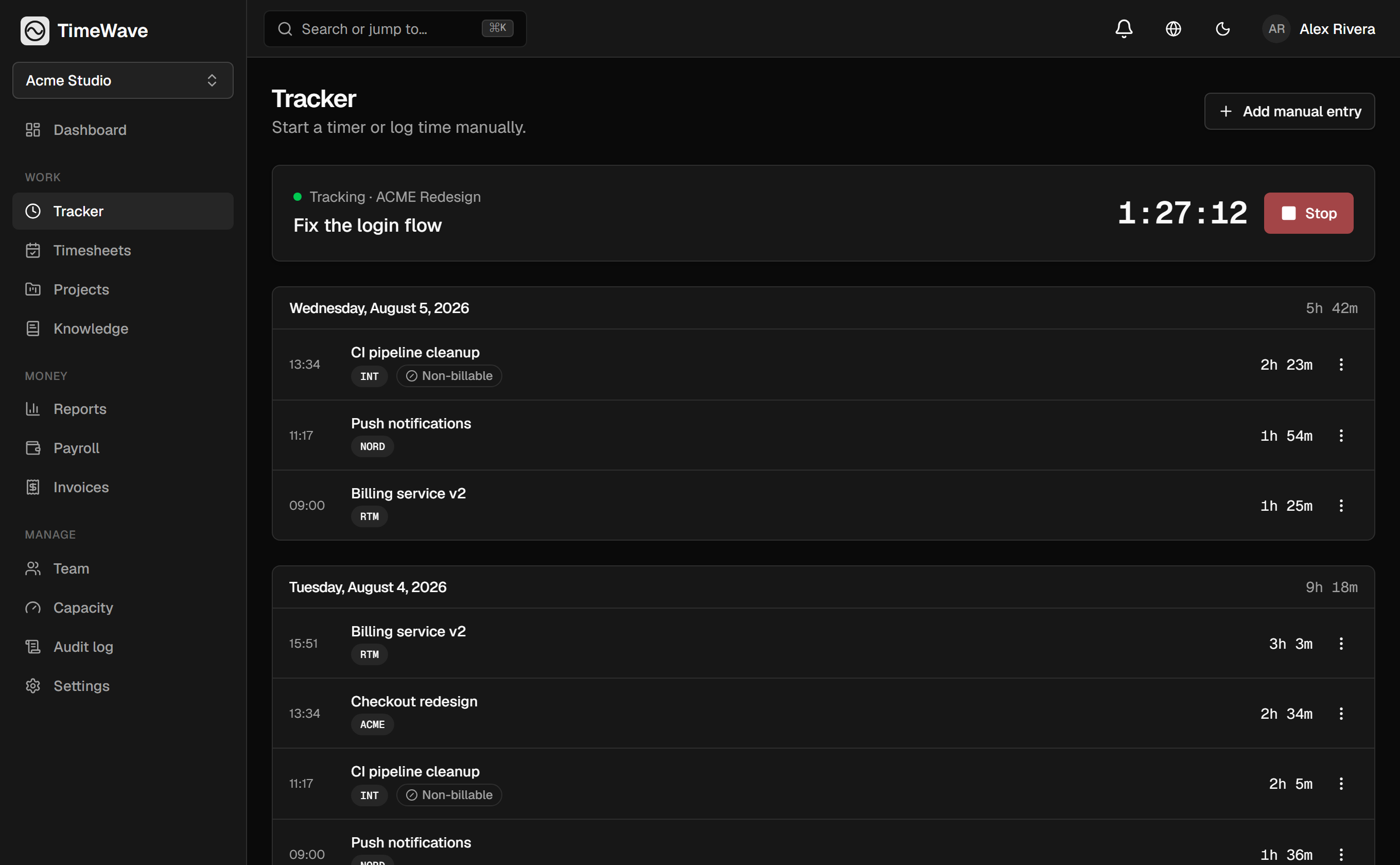
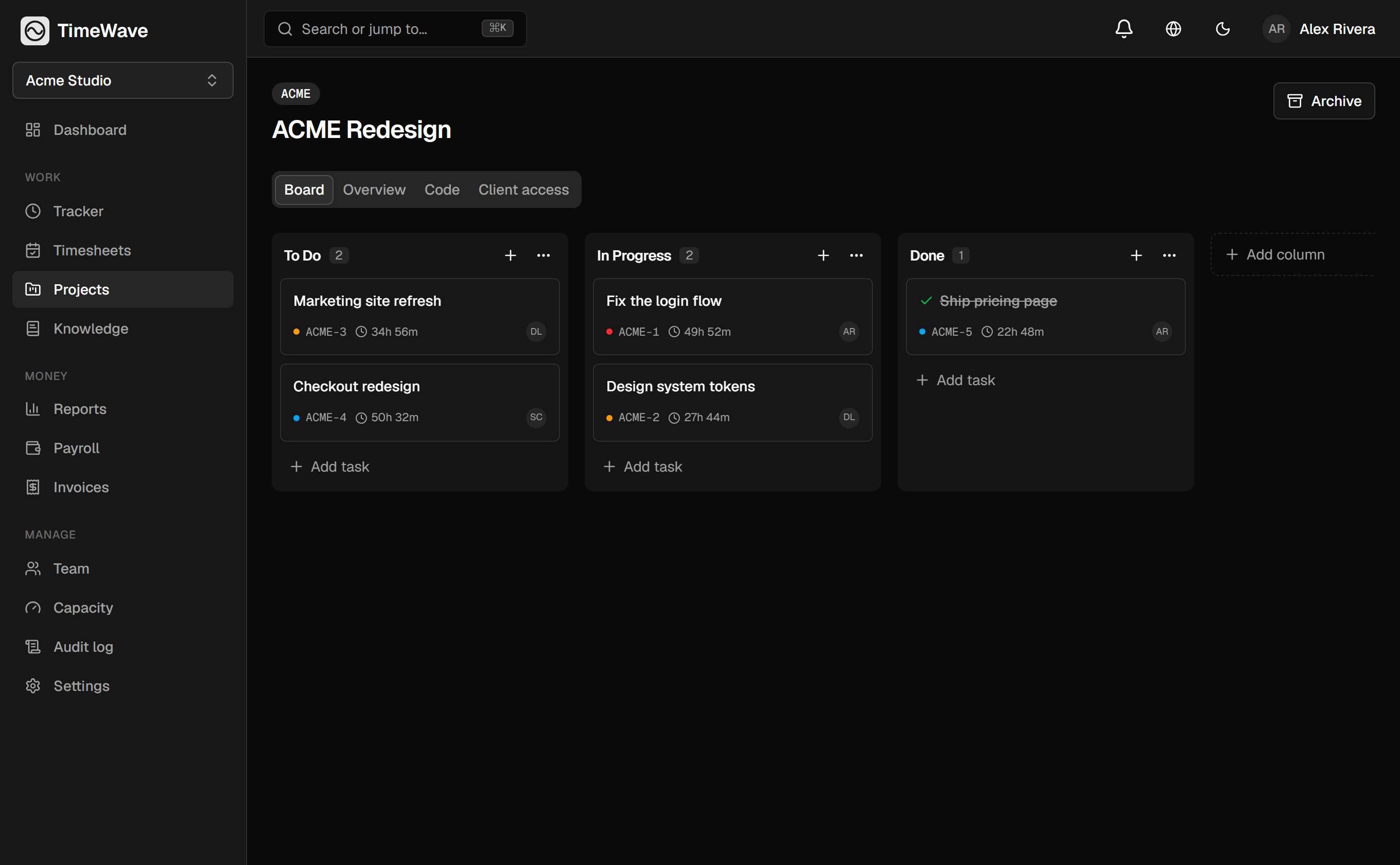
Kanban with dependencies
Tags, budgets and blockers on one board.
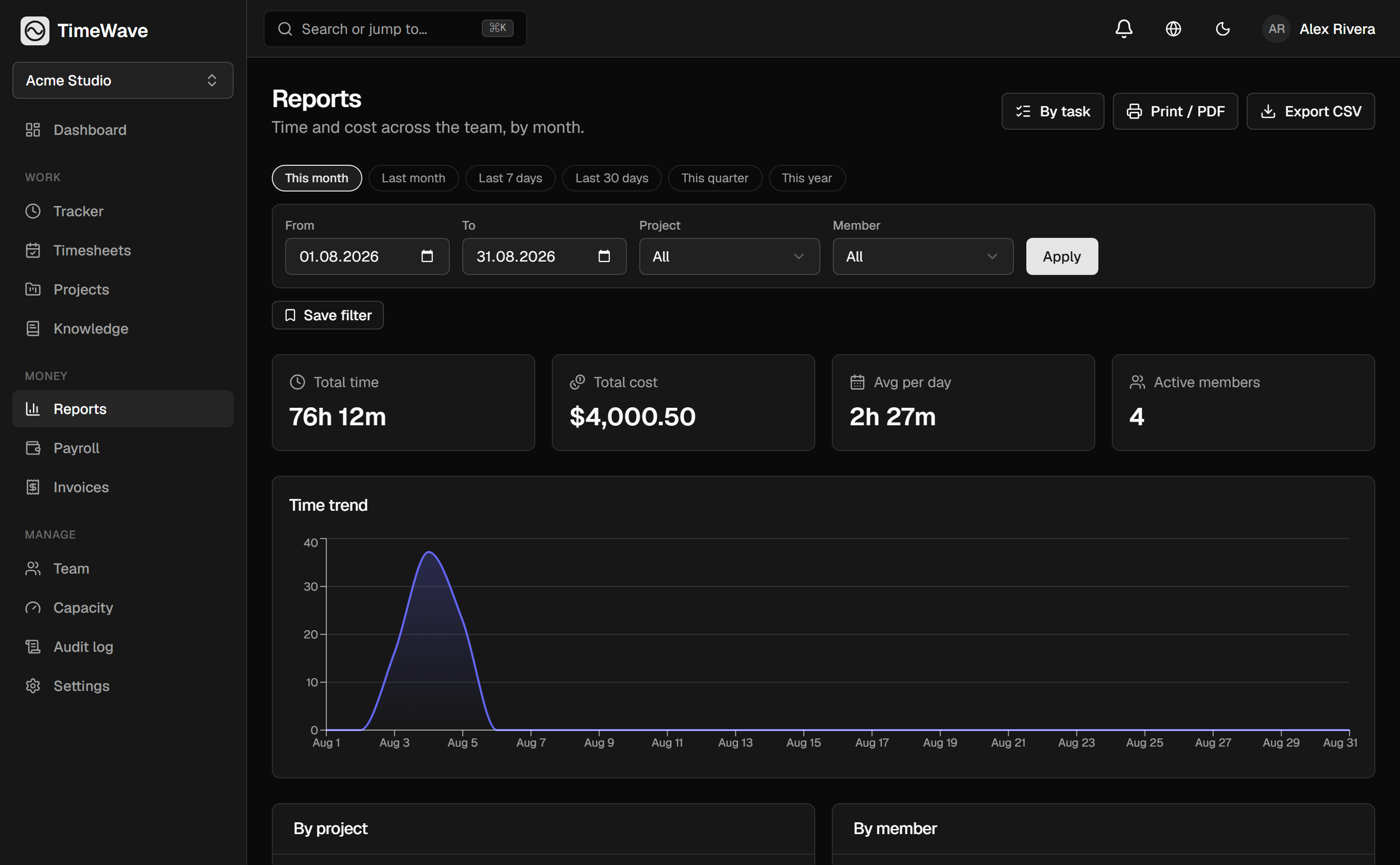
Money analytics
Cost, bill and margin by person or project.
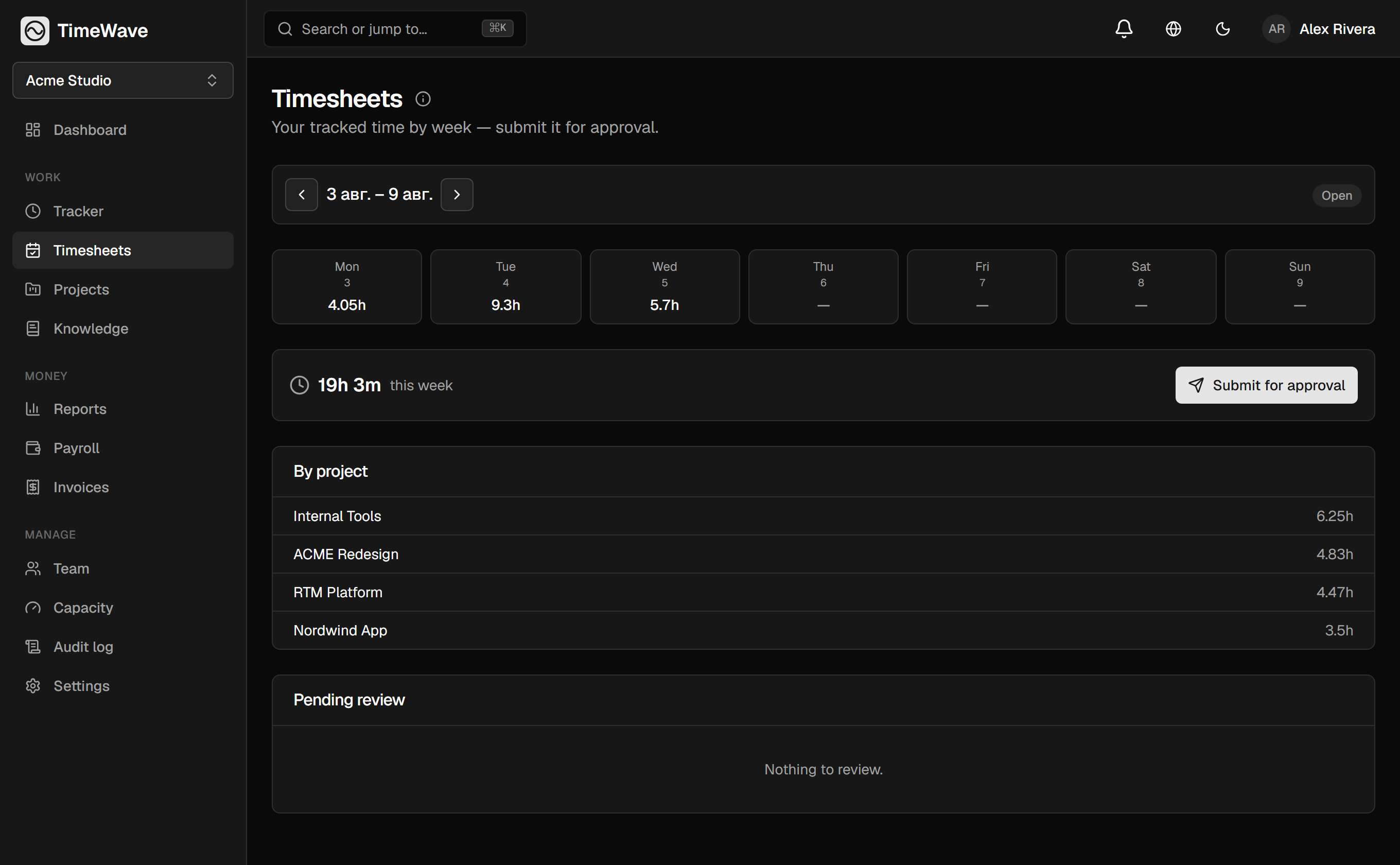
Timesheets & approval
Submit, approve, lock. Numbers stop drifting.
03 — Money
Hours in.
Invoices out.
Every tracked minute carries two rates: what it costs you and what it bills at. So an invoice is a filter, not a spreadsheet evening — and payroll is the same data read the other way.
Two rates per person
Cost rate for you, bill rate for the client.
Any currency
Rates in local money, totals in your org's.
Invoice from a filter
Pick client and period — the invoice is drafted.
Payroll from the same hours
No second system, no re-entry.
04 — Why switch
They track time.
TimeWave runs the money.
A stopwatch was enough while you only needed hours. Once those hours turn into invoices, payroll and margin, every next step costs extra — a higher tier, a separate product for the board, a second system for payouts.
Where are you coming from?
Any of the three imports in the wizard: it works out the columns itself, and loading the same file twice adds nothing.
checked against vendor sites · august 2026
05 — Everything else
The boring parts,
done properly
START / STOP tracking
One-click timer or manual entry — manual and edited time is always flagged, so reports stay honest.
Timesheets & approval
Weekly timesheets your team submits and managers approve — approved weeks lock so numbers can't drift.
Projects, kanban & budgets
Boards with tags and dependencies, and spend tracked against each project's budget.
Markdown knowledge base
Docs live next to the work they describe, not in a wiki nobody opens.
Roles & client portal
Owner, admin, manager, member — plus a read-only portal for one client project.
Security & audit log
Two-factor auth, an organization-wide audit log and repository tokens encrypted at rest.
Reports & exports
Analytics by person, project and tag, with CSV exports and scheduled email reports.
Russian & English
Full ru / en interface for the whole team, switchable per person.
Hosted for you
We run the infrastructure, updates and backups — there is nothing for you to deploy or maintain.
One click from wherever you already are
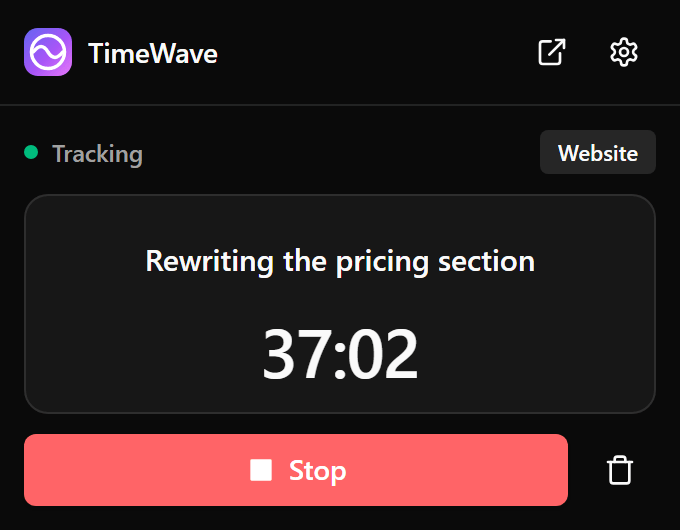
The browser extension starts and stops the timer from the toolbar — no tab switch, no app open. Pairing hands it a scoped key you can revoke in a click.
- Alt+Shift+T — Start and stop without even opening the popup.
- Project and task — Pick from your projects and their open tasks.
- Fix it mid-run — Rename a running entry, or discard it, without opening the app.
- English and Russian — Follows the browser, or your choice. Light, dark or system theme.
The timer in your pocket,
the board on your screen
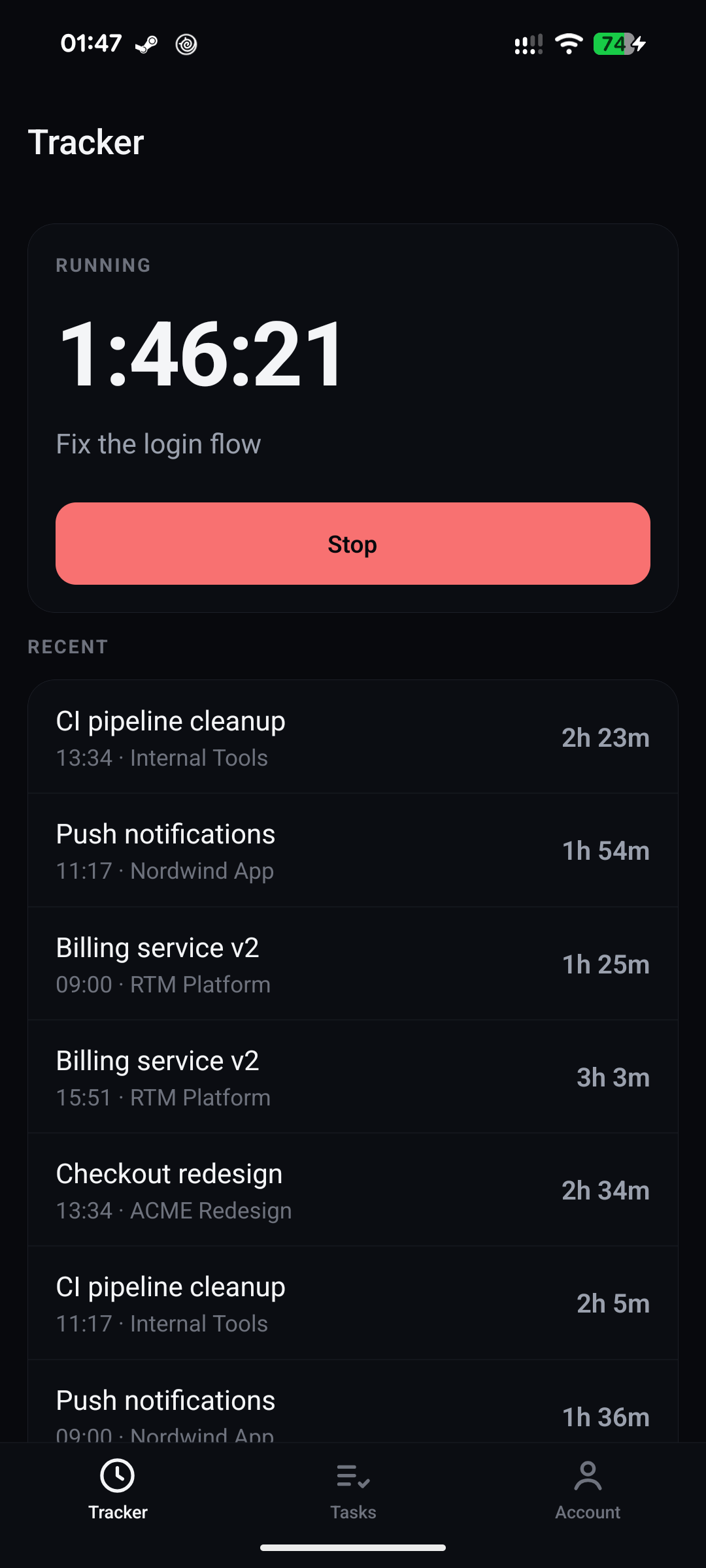
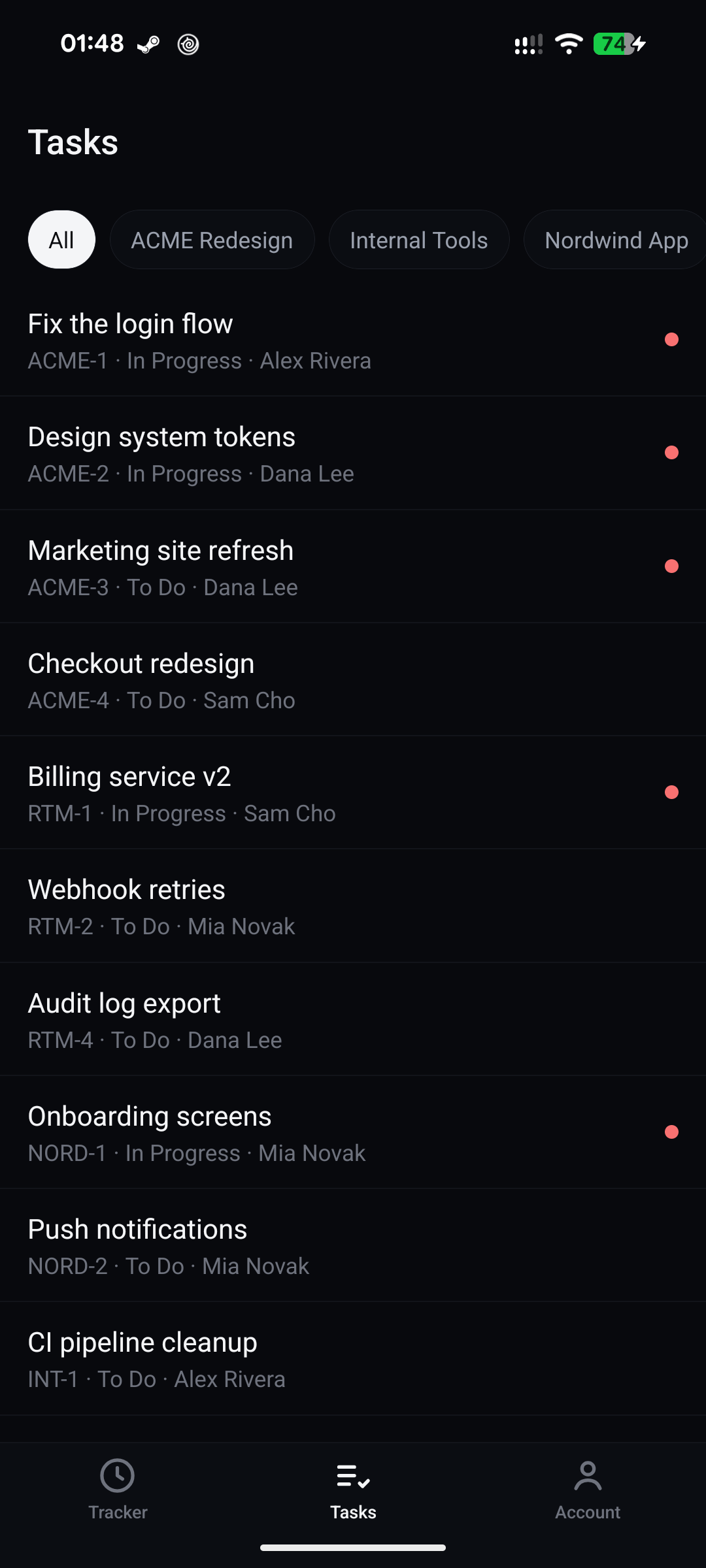
The Android app: start and stop the clock, look through your tasks, move them across columns and close them — on the same account as the web.
- Start and stop — The clock runs from when it started, not from a counter a sleeping phone would pause.
- Tasks and columns — Filter by project, move across the board's real columns, close.
- Sign in and revoke — Email, password and 2FA. The device key lives in the Keystore and is revoked from the web.
- Your phone's language — Russian or English, from the system setting — not one more switch to find.
06 — Straight answers
What you are
actually worried about
Will my team actually use it?
That is the point of the AI and git paths: for most developers the tracking happens without opening the app at all. And when someone edits time by hand, it is flagged instead of silently rewritten.
Is giving an AI write access safe?
The assistant gets a scoped key with the same permissions as a member, every action it takes is badged in the audit log, and you can revoke the key at any time without touching anyone's account.
How much work is migrating from Toggl?
Export a CSV and hand it to the import wizard. It works out the columns itself and, before writing anything, shows you how many entries and hours will land and which projects will be created. Toggl, Clockify and Harvest work out of the box, and loading the same file twice adds nothing.
What happens when the free plan runs out?
Nothing breaks and nothing is deleted. You stay read-write on what Free covers, and the money features unlock when you upgrade.
Can clients see more than they should?
A client is invited to exactly one project, read-only, and you choose what is visible. They never see rates, other clients or the rest of your org.
Who owns the data?
You do. Your organization's data is isolated from everyone else's, and you can export all of it — tasks, time, reports — at any time without asking support.
07 — Pricing
Start on Free.
Forever, if you like.
No trial clock, no card, no sales call. Three people get the whole tracker, the kanban, the docs and the AI access — and if you outgrow it, one upgrade unlocks the money side.
Free
Everything you need to see where the time goes.
no credit card · 60 seconds
Pro
POPULARWhen hours start becoming invoices.
Business
Whole company, no ceilings.
Let your AI do
the timesheet
Create an org, connect one MCP client, and watch the hours turn into money you can actually bill.
Free plan · No credit card · ru / en